
If you’re trying to get into e-books, you may have heard of two popular e-reader options: Kobo and Kindle. Both offer dedicated devices for reading digital books, but they differ in features, design, and how you access e-books.
If you’re not sure which one to choose, this guide breaks down the key differences between Kobo and Kindle to help you find the right fit for your reading.
What is Kobo?
Kobo is a line of e-readers developed by Rakuten Kobo, a subsidiary of Japanese e-commerce company Rakuten. First launched in 2010, Kobo e-readers are designed for reading digital books on E-Ink screens.
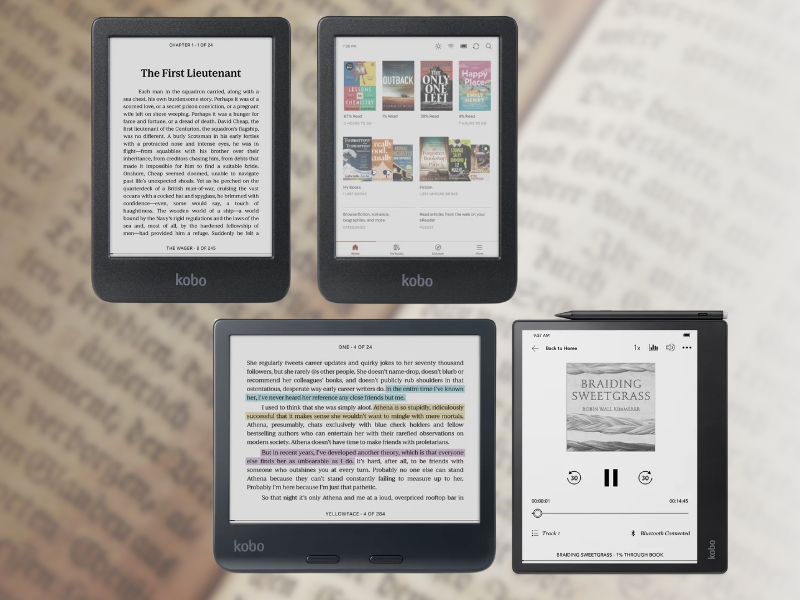
The E-Ink displays are designed to provide a paper-like reading experience and remain easy to view in natural light. The Kobo lineup includes different models with features that vary by device, such as adjustable lighting, waterproofing, color displays, and stylus support. Kobo also has its own e-book and audiobook store, allowing readers to buy and access digital books through the Kobo ecosystem.
Kobo and Kindle Comparison
Kobo and Kindle both offer dedicated e-readers for digital reading, but they have some differences worth knowing. I tried to research their features and differences as much as possible to give you a better idea of what each one offers.
No Third-Party Lock-Screen Ads
Kobo e-readers do not display third-party ads. On the other hand, Kindle models have ad-supported and ad-free options, with users paying an additional fee for models without ads. Ad-supported models display sponsored screensavers and lock-screen ads.
Content Access
Both Kobo and Kindle give readers access to paid e-books through their own stores and subscription services.
- Kobo Store vs. Kindle Store: Both stores let you purchase individual e-books and keep them in your library. The Kindle Store has a catalog of over 10 million e-books, while Kobo offers a catalog of over 5 million titles.
- Kobo Plus vs. Kindle Unlimited: Both are monthly subscriptions that provide access to e-books and audiobooks included in their respective catalogs. Kindle Unlimited costs US$11.99 (roughly ₱600–₱700), while Kobo Plus offers plans starting at ₱349/month for Read or Listen and ₱449/month for Read & Listen.
- Public Library Access: Kobo has built-in support for OverDrive, which lets users directly borrow materials from public libraries on their Kobo devices through Libby. At the time of writing, the Philippines is not listed among Rakuten Kobo’s supported countries for Libby, so this feature may not be available to Philippine users. Availability may change if support is expanded in the future.
Different Sideloading Processes
Sideloading is the term for the process of adding e-books from outside an e-reader’s built-in store. Kobo supports open formats like EPUB, PDF, MOBI, TXT, and CBZ, which you can transfer directly to the device using a USB connection. Supported Kobo models also support Dropbox or Google Drive for wireless transfers.
Kindle supports its own formats, such as AZW3 and KFX, while other formats such as EPUB, PDF, DOC, DOCX, and RTF can be sent to the device through Amazon’s Send to Kindle service.
Buttons
One notable physical difference between Kobo and Kindle is the page-turn buttons found on some Kobo models, such as the Kobo Libra Colour. You can hold the device on either side and use the physical buttons to turn pages, or swipe on the screen if you prefer.
The Kindle relies on touchscreen swipes for page turns.
More Customization
Both Kobo and Kindle let you adjust font size, line spacing, and margins. Kobo also lets you add custom .ttf and .otf fonts through USB, giving you additional control over font selection.
Kindle also lets you adjust font weight, size, spacing, and margins, along with other reading settings. You can also customize your Kobo’s screensaver with your own images. Read more about how to set up custom screensavers on Kobo e-readers in this PCWorld guide.
Color and Note-Taking
Both Kobo and Kindle offer models with color screens and stylus support, although these features vary by device.
- Kobo: Clara Colour and Libra Colour, with the Libra Colour also supporting stylus-based note-taking. Other Kobo models with stylus support include Elipsa 2E.
- Amazon: Kindle Colorsoft and Colorsoft Signature Edition for color reading, while the Kindle Scribe supports note-taking. The Kindle Scribe Colorsoft combines both with a color display and handwriting.
For note-taking, compatible Kobo models let you write directly on EPUBs and non-protected PDFs, making them a good fit for readers who like to annotate pages directly. The Kindle Scribe also supports handwritten annotations through features like sticky notes and expandable margin.
| Feature | Kobo | Kindle |
| Lock-Screen Ads | No third-party ads | Ad-supported and ad-free options |
| Content Access | Kobo Store: 5M+ titles | Kindle Store: 10M+ titles |
| Subscriptions | Kobo Plus: ₱349–₱449/month | Kindle Unlimited: US$11.99/month (~₱600–₱700) |
| Public Libraries | Built-in Libby support in select countries | Libby access varies by market |
| Sideloading | EPUB, PDF, MOBI, TXT, CBZ; USB, Dropbox & Google Drive (select models) | AZW3, KFX; other formats via Send to Kindle |
| Page-Turn Buttons | Kobo Libra Colour | None; touchscreen only |
| Customization | Custom fonts + flexible font controls | Font, size, spacing, margins, and more |
| Color Display | Kobo Libra Colour, Kobo Clara Colour | Kindle Colorsoft, Kindle Scribe Colorsoft |
| Stylus Support | Kobo Libra Colour, Kobo Elipsa 2E | Kindle Scribe, Kindle Scribe Colorsoft |
| Screensaver | Book covers / Custom images supported | Book covers / ads (in ad-supported models) |
Overall, choose Kindle if you want a wider e-book catalog and closer integration with Amazon’s ecosystem. If you prefer a more open reading experience, especially for borrowing e-books from public libraries (if supported in your area) or adding books from other sources, Kobo may be a better fit. Kobo also offers more flexibility for customization, with support for custom fonts and custom screensaver images. Ultimately, the better choice depends on the features and reading experience you value most.
If you want to explore Kindle models in more detail, check out our Kindle Buying Guide.
The Different Kobo Models
Kobo Clara BW
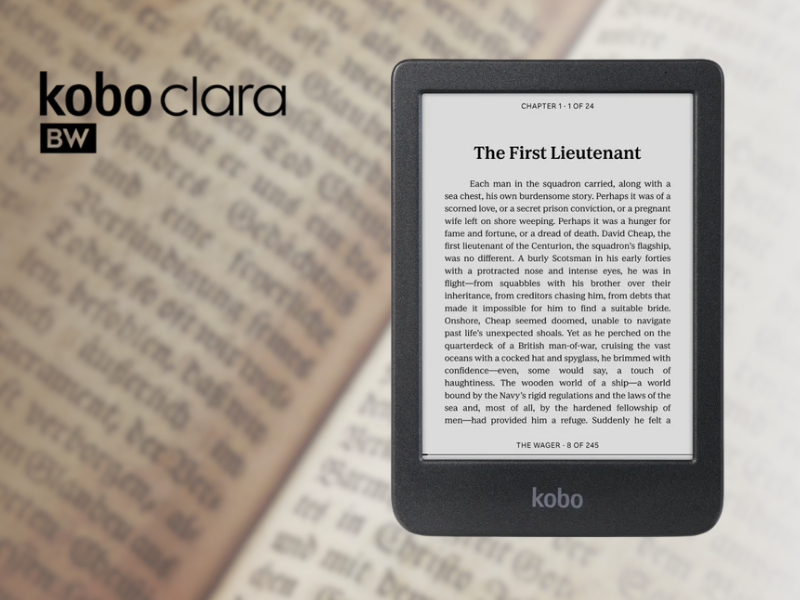
The Kobo Clara BW is a compact black-and-white e-reader designed for everyday reading. It features a 6-inch E Ink Carta 1300 HD touchscreen, 16GB of storage, and a waterproof design, making it a straightforward option for readers who want a dedicated device for e-books.
- Dimension: 112 x 160 x 9.2 mm
- Weight: 174 g
- Display: 6 inch E Ink Carta 1300 HD touchscreen
- Resolution: 1448 x 1072 px
- Storage: 16 GB
- Battery: 1500 mAh
- CPU: 1.0 GHz
- Connectivity: WiFi, Bluetooth, USB-C
- Waterproof: IPX8
- Google Drive & Dropbox: Not supported
- Stylus Compatibility: Not compatible
- Available Colors: Black
- Price: ~₱13,580 – ₱23,990
Buy it Here:
- Kobo Clara BW 16GB (Latest Model) BRAND NEW
- Kobo Clara BW 16GB | 6″ E-Ink Carta 1300 | ComfortLight PRO | Waterproof eReader | Wi-Fi | Black
Kobo Clara Colour
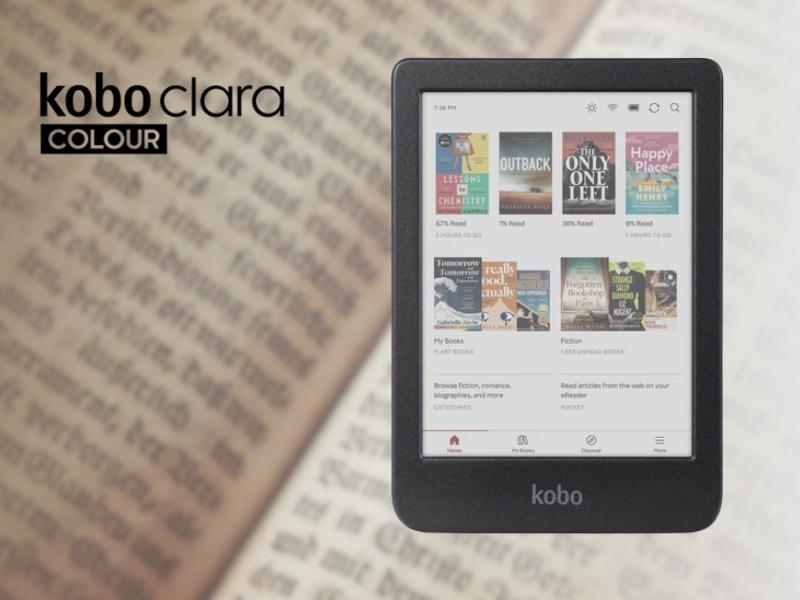
The Kobo Clara Colour is a compact color e-reader with a 6-inch E Ink Kaleido 3 display. It offers 16GB of storage, IPX8 waterproofing, and a lightweight design for reading e-books in color.
- Dimension: 112 x 160 x 9.2 mm
- Weight: 174 g
- Display: 6 inch E Ink Kaleido™ 3 touchscreen
- Resolution: 1448 x 1072 px
- Storage: 16 GB (12,000 e-books)
- Battery: Black: 1500 mAh | White: 1900 mAh
- CPU: Dual 2.0 GHz
- Connectivity: WiFi, Bluetooth, USB-C
- Waterproof: IPX8
- Google Drive & Dropbox: Not supported
- Stylus Compatibility: Not compatible
- Available Colors: Black, White
- Price: ~₱19,399 – ₱24,999
Buy it Here:
- Kobo Clara Colour 16GB (Latest Model) BRAND NEW
- Kobo Clara Colour eReader 6″ Colour E-Ink 16GB Wifi Audiobooks Waterproof
Kobo Libra Colour
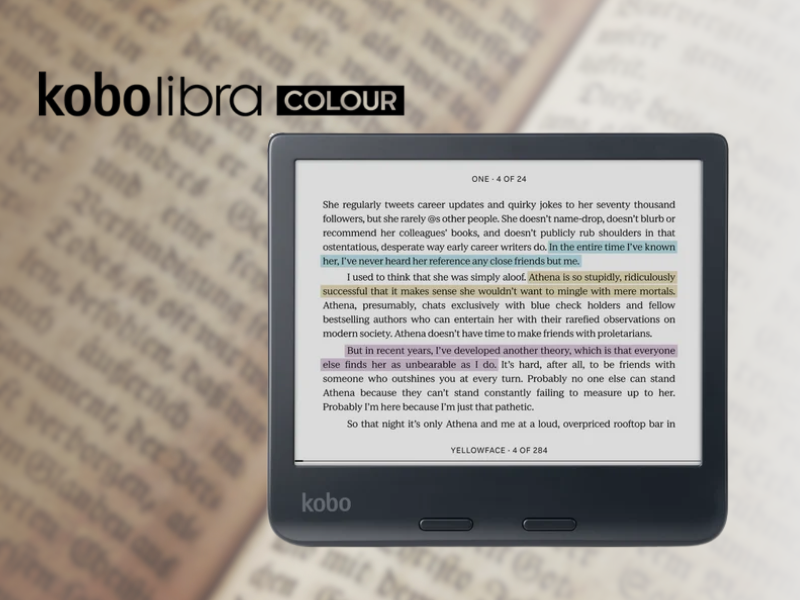
The Kobo Libra Colour is a 7-inch color e-reader with an E Ink Kaleido 3 display. It comes with 32GB of storage, IPX8 waterproofing, and Kobo Stylus 2 compatibility for highlighting and writing directly on e-books.
- Dimension: 144.6 x 161 x 8.3 mm
- Weight: 199.5 g
- Display: 7 inch E Ink Kaleido™ 3 touchscreen
- Resolution: 1264 x 1680 px
- Storage: 32 GB (24,000 e-books)
- Battery: 2050 mAh
- CPU: Dual 2.0 GHz
- Connectivity: WiFi, Bluetooth, USB-C
- Waterproof: IPX8
- Google Drive & Dropbox: Supported
- Stylus Compatibility: Supported | Stylus sold separately
- Available Colors: Black, White
- Price: ~₱19,490 – ₱25,990
Buy it Here:
- Kobo Libra Colour 32GB Ereader (Latest Model) BRAND NEW
- Kobo Libra Colour | eReader | 7” Glare-Free Colour E Ink Kaleido™ 3 Display | Dark Mode Option
Kobo Elipsa 2E
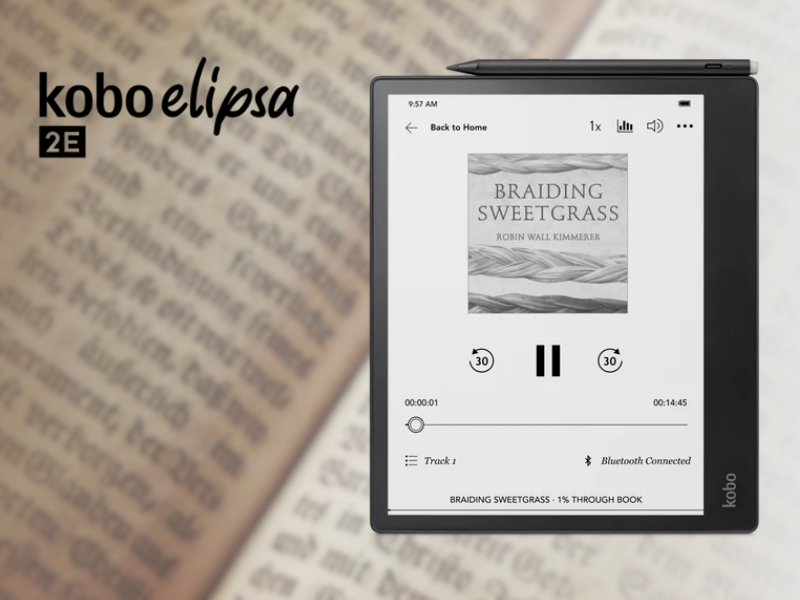
The Kobo Elipsa 2E is a large-format e-reader with a 10.3-inch E Ink Carta 1200 touchscreen. It comes with 32GB of storage and an included Kobo Stylus 2, letting you read, annotate e-books and PDFs, and create digital notes.
- Dimension: 193 x 227 x 7.5 mm
- Weight: 390 g
- Display: 10.3 inch E Ink Carta 1200 touchscreen
- Resolution: 1404 x 1872 px
- Storage: 32 GB (24,000 e-books)
- Battery: 2400 mAh
- CPU: 2 GHz
- Connectivity: WiFi, Bluetooth, USB-C
- Waterproof: Not supported
- Google Drive & Dropbox: Supported
- Stylus Compatibility: Supported | Stylus included
- Available Colors: Black
- Price: ~₱33,590
Buy it Here:
| Kobo Model | What Makes It Different | Key Features | Best For | Price |
| Kobo Clara BW | Compact B&W reader | 6″ Carta 1300 HD, 16GB, IPX8 | Simple, portable reading | ~₱13,580–₱23,990 |
| Kobo Clara Colour | Compact color reader | 6″ Kaleido 3, 16GB, IPX8 | Color reading on the go | ~₱19,399–₱24,999 |
| Kobo Libra Colour | Color reader with stylus support | 7″ Kaleido 3, 32GB, IPX8, Stylus 2 compatible | Reading and note-taking | ~₱19,490–₱25,990 |
| Kobo Elipsa 2E | Large reader for writing | 10.3″ Carta 1200, 32GB, Stylus 2 included | Reading, annotating, and notes | ~₱33,590 |
Kobo vs Kindle: Which Should You Get?
If you’re deciding between Kobo and Kindle, the Kobo models above give you several options depending on your preferred screen size, color display, and note-taking features. Kindle offers a similar range of dedicated e-readers, so your choice may come down to the ecosystem and features you prefer.
Consider Kobo if you want features like custom fonts, flexible sideloading, or color and stylus options across select models. Kindle may appeal more if you already use Amazon’s ecosystem or prefer its e-book and subscription services.
Ultimately, both brands offer dedicated e-readers for digital reading, so the right choice depends on the features that matter most to you.
Frequently Asked Questions (FAQs)
Is a Kobo as good as a Kindle?
Both brands offer dedicated e-readers for reading digital books. The experience can vary depending on the model, features, and services you use, so it’s worth comparing specific devices based on your reading habits.
Are e-books cheaper on Kobo or Kindle?
There’s no fixed price difference between the two because e-book prices can vary by title, publisher, and promotions so the same book may have different prices depending on when and where you buy it.
Is it worth switching from Kindle to Kobo?
This depends on what you want from your e-reader. Switching may make sense if a Kobo feature or model better matches your preferences, but your existing Kindle library and familiarity with Amazon’s ecosystem are also worth considering.
What should I consider when choosing a Kobo?
Consider the screen size, display type, storage, waterproofing, and whether you need features such as color or stylus support. Kobo offers different models for basic reading, color content, and note-taking, so you can choose based on how you plan to use the device.
Ready to choose your Kobo e-reader? Browse available Kobo models on Shopee to check the latest prices, vouchers, and deals. For more perks and offers, check out Shopee VIP.