
Is a Kindle really worth it? It’s a common question for anyone considering switching from physical books to e-readers. With several Kindle models available, choosing the right one can also feel overwhelming.
In this guide, we’ll break down the key differences between each model to help you find a Kindle that suits your reading habits, preferences, and budget.
What Is a Kindle?
A Kindle is an e-reader developed by Amazon that lets you purchase, download, and read digital books on a dedicated device. Through the Kindle Store, you can also browse and access millions of titles in one place.
Unlike smartphones and tablets, Kindles are designed primarily for reading to help you tune out distractions and focus on the page. Kindle e-readers use E-Ink displays that mimic the appearance of printed pages. Unlike LCD screens, E-Ink displays are reflective and use ambient light rather than a backlight to display text. This makes the screen easier to view even in bright conditions and helps reduce power consumption for a longer battery life.
Benefits of a Kindle
- Carry hundreds of books in one device: Store a large collection of titles without taking up much physical space.
- Access books instantly: Download titles without visiting a bookstore or library.
- Read comfortably in different lighting: E-ink displays stay readable in bright conditions with minimal glare.
- Enjoy longer battery life: Kindle can last for weeks on a single charge, depending on usage and settings.
- Adjust the text: Change the font size and other reading settings to suit your preferences.
- Stay focused on reading: Kindle e-readers are designed for reading without other app distractions.
- Organize your library: Sort and manage ebooks without physical shelves.
- Add notes and bookmarks: Mark pages and save notes as you read.
Different Kindle Types and Latest Models
Kindle models vary in size, display features, storage, and reading capabilities. Here’s a closer look at the main Kindle types and what each one offers.
Kindle Basic
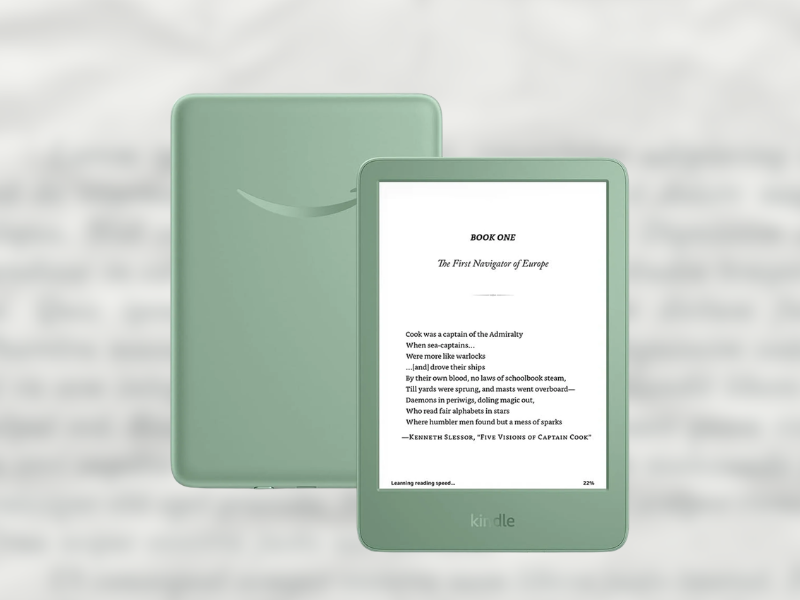
The basic Kindle is the smallest and lightest model in the lineup. Its 6-inch glare-free display, adjustable front light, and dark mode keep the reading experience simple. It also has 16GB of storage and up to six weeks of battery life, making it suited to readers who prioritize portability.
Kindle 2024 (2024, 11th generation)
- Size: 6.2 × 4.3 × 0.32 inch
- Weight: 158g
- Display: 6-inch | 300 PPI | recessed screen
- Display Type: E Ink
- Resolution: 1072 × 1448 px
- Storage: 16GB
- Battery: Unlisted mAh | up to 6 weeks
- Charging: USB-C
- Waterproof: No
- Color: Black, Matcha
- Price: ~₱13,995
Buy it Here:
Kindle Paperwhite
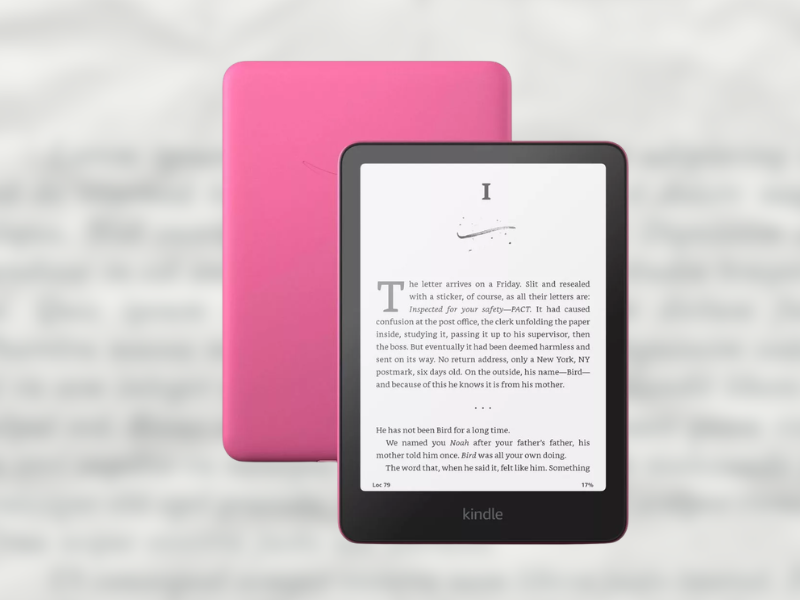
The Kindle Paperwhite stands out with its larger 7-inch display, flush screen, and adjustable warm light. It is also waterproof with an IPX8 rating, making it suitable for reading around water like the pool or the bathtub. The 16GB model offers up to 12 weeks of battery life.
Kindle Paperwhite 6 (2024, 12th generation)
- Size: 5 x 7 x 0.3 inch
- Weight: 211g
- Display: 7-inch | 300 PPI | flushed screen
- Display Type: E Ink Carta 1300
- Resolution: 1264 x 1680 px
- Storage: 16GB
- Battery: 1900mAh | up to 12 weeks
- Charging: USB-C
- Waterproof: IPX8
- Color: Black, Jade, Raspberry
- Price: ~₱16,795 – ₱18,895
Buy it Here:
Kindle Paperwhite Signature Edition
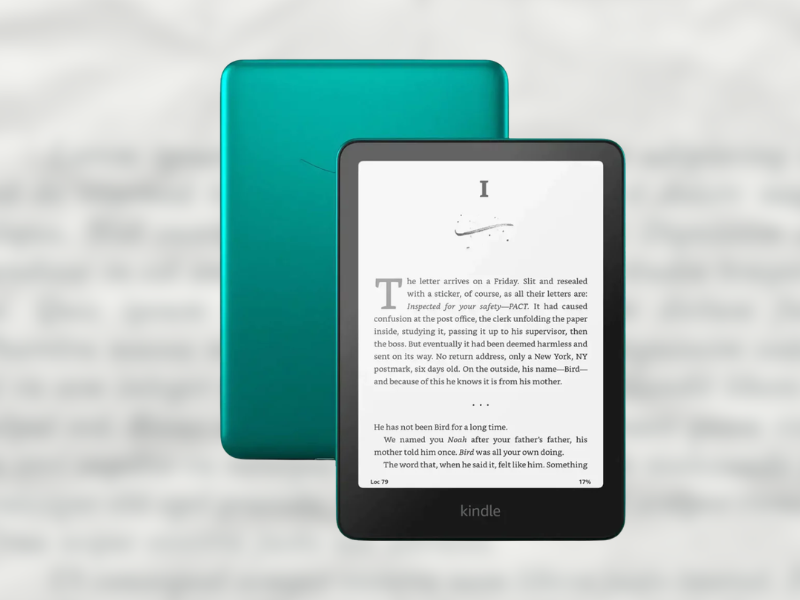
The Paperwhite Signature Edition adds more storage and convenience features to the standard Paperwhite. It has 32GB of storage, wireless charging, and an auto-adjusting front light. It also has a metallic finish and an ad-free experience.
Kindle Paperwhite 6 Signature Edition (2024, 12th generation)
- Size: 5 x 7 x 0.3 inch
- Weight: 214g
- Display: 7-inch | 300 PPI | flushed screen
- Display Type: E Ink Carta 1300
- Resolution: 1264 x 1680 px
- Storage: 32GB
- Battery: 1900mAh | up to 12 weeks
- Charging: USB-C + wireless charging
- Waterproof: IPX8
- Color: Black, Jade, Raspberry
- Price: ~₱19,595 – ₱20,995
Buy it Here:
- Amazon Kindle Paperwhite Signature Edition 32GB 12th Gen – Our fastest Kindle with wireless charging
Kindle Colorsoft
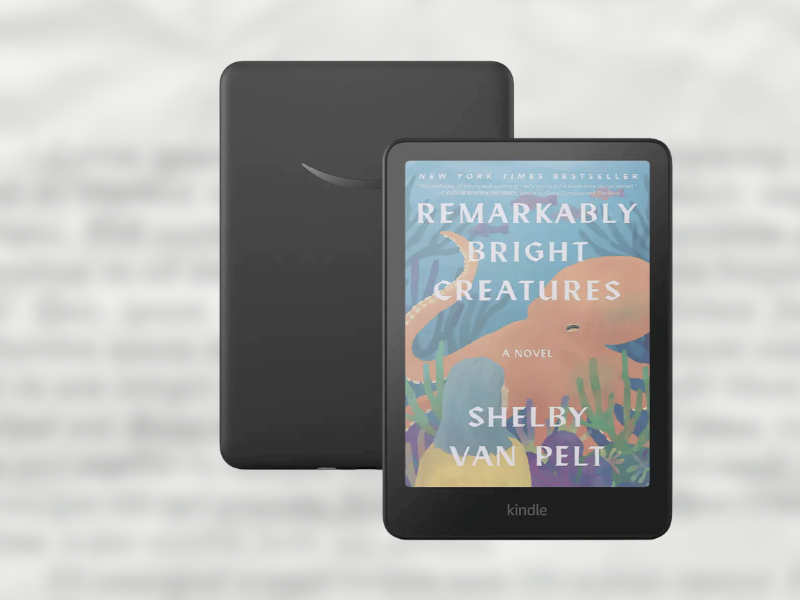
The Kindle Colorsoft is the color option in the lineup, featuring a Kaleido 3 color panel that displays up to 4,096 paper-like colors. It lets you view book covers, images, and highlights in color while maintaining the glare-free reading experience of an E Ink display. This is suited to those who read graphic novels, comics, and other illustrated content.
Kindle Colorsoft (2025, 12th generation)
- Size: 5 x 7 x 0.3 inch
- Weight: 215g
- Display: 7-inch | 300 PPI, 150 PPI (color) | flushed screen
- Display Type: Color | E Ink Kaleido 3
- Resolution: 1264 × 1680 px
- Storage: 1000MB RAM + 16GB
- Battery: 2310 mAh | up to 8 weeks
- Charging: USB-C
- Waterproof: IPX8
- Color: Black
- Price: ~₱22,390
Buy it Here:
Kindle Types Compared
| Kindle Type | What Makes It Different | Key Features | Best For | Price (based on latest models) |
| Kindle Basic | Smallest and lightest Kindle | 16GB, adjustable light, ~6 weeks battery | Readers who want a simple and portable e-reader | ~₱13,995 |
| Kindle Paperwhite | Larger display with added reading features | 16GB, adjustable light, waterproof, ~12 weeks battery | Everyday readers who want a larger screen and waterproof design | ~₱16,795 – ₱18,895 |
| Kindle Paperwhite Signature Edition | Adds convenience features to the Paperwhite | 32GB, auto-adjusting light, waterproof, wireless charging, ~12 weeks battery | Readers who want more storage and added convenience | ~₱19,595 – ₱20,995 |
| Kindle Colorsoft | Adds color to the e-reading experience | 7-inch color display, auto-adjusting light,
1000MB ram + 16GB, waterproof, ~8 weeks battery |
Readers who want to view book covers, images, and highlights in color | ~₱22,390 |
Which Kindle Should You Buy?
The right Kindle depends on how you plan to read and which features matter most to you. Consider these options based on your reading habits:
- Choose the Kindle Basic if you’re new to e-readers and want to try Kindle with a simple, portable design. It’s also the most affordable option.
- Choose the Kindle Paperwhite if you want a larger display with added comfort and durability. Its 7-inch screen, warm light, and IPX8 waterproofing make it a practical choice for regular reading.
- Choose the Kindle Paperwhite Signature Edition if you want a paperwhite with more storage and added convenience. Its 32GB storage, wireless charging, and auto-adjusting front light set it apart from the standard Paperwhite.
- Choose the Kindle Colorsoft if you want to see book covers, images, and highlights in color. It keeps the familiar Kindle reading experience while adding a color display.
Ultimately, there is no single Kindle that suits every reader. Think about your preferred screen size, whether you need waterproofing or color, and how much storage you want before choosing a model.
Frequently Asked Questions (FAQs)
Is it worth buying a Kindle?
A Kindle can be worth buying if you regularly read ebooks and want a dedicated reading device. Its e-ink display, long battery life, adjustable text, and distraction-free design make it a convenient option for digital reading.
What’s the difference between a Kindle Paperwhite and a regular Kindle?
The Kindle Paperwhite has a larger 7-inch display, adjustable warm light, and IPX8 waterproofing. The regular Kindle has a smaller 6-inch display and a lighter, more compact design, making it better suited to readers who prioritize portability.
Can you use a Kindle without Wi-Fi?
Yes. You can read downloaded books without Wi-Fi. An internet connection is mainly needed for downloading books, syncing your library, and accessing other online features.
Do you keep Kindle books forever?
Kindle books you purchase are generally stored in your Amazon account, so you can access them again on supported Kindle devices or apps. However, access can depend on your Amazon account and the availability of the title.
Find the Kindle that fits your reading habits and browse Shopee Mall for trusted sellers, best prices, and special offers. Explore Shopee VIP and enjoy additional benefits on your purchases.